> ## Documentation Index
> Fetch the complete documentation index at: https://docs.spexcompl.ai/llms.txt
> Use this file to discover all available pages before exploring further.
# Before you start
> Prepare your documents and understand the compliance workflow before creating your first project.
## What you need
Before creating your first project, make sure you have the following ready:
* The complete **RFP document** (PDF format)
* **Product datasheets** for all intended equipment
* **Exact model numbers** for each product
* **Bill of Materials** (Excel format), if available
If your RFP is a scanned PDF, the system will process it using OCR. Structured tables and multi-level numbering formats are supported.
## Preparation guidelines
* Ensure each datasheet corresponds to the exact product model you intend to propose.
* If a datasheet includes multiple variants, identify the correct model in advance.
* Do not run compliance before linking the correct SKUs in Scope.
Accurate inputs are essential for reliable compliance evaluation.
## Workflow overview
speXcompl.ai follows a structured compliance pipeline. Each stage builds on the previous one — skipping steps may affect accuracy.
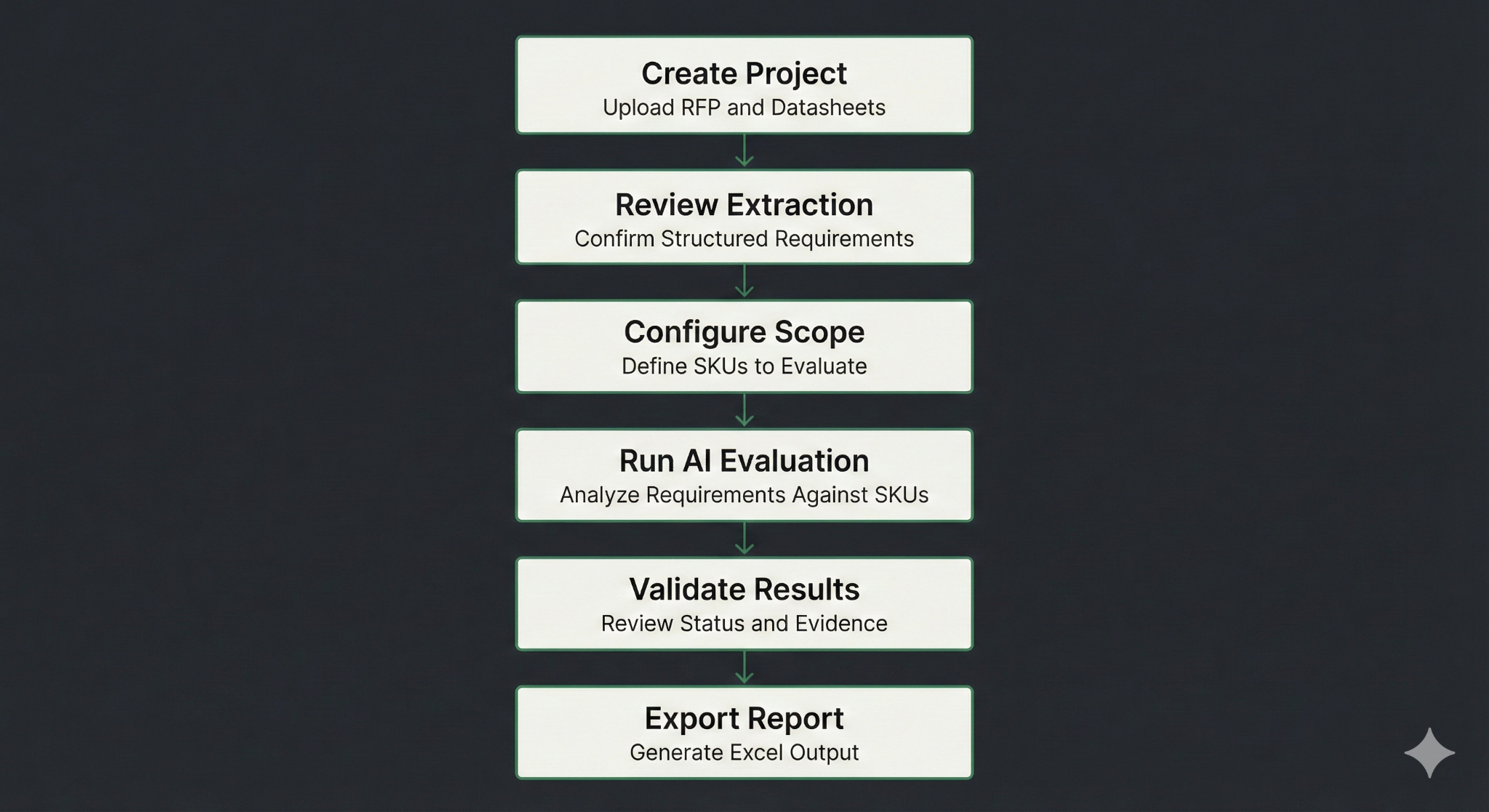 The six steps are:
Upload the RFP, product datasheets, and define your Bill of Materials.
Confirm the structured requirements extracted from the RFP.
Define the SKUs (product models) you intend to propose.
Analyze requirements against your selected SKUs.
Review compliance status and supporting evidence.
Generate an Excel compliance report.
The six steps are:
Upload the RFP, product datasheets, and define your Bill of Materials.
Confirm the structured requirements extracted from the RFP.
Define the SKUs (product models) you intend to propose.
Analyze requirements against your selected SKUs.
Review compliance status and supporting evidence.
Generate an Excel compliance report.